Free on iPhone · no ads, no strangers

Stop planning your life in five different group chats.

PLNS is the easy way to make plans with people you actually know. Post what you're doing, and your friends see it and tap in — no "who's still coming?", no scrolling for the last reply, no plan that quietly dies in a thread nobody checks anymore.

Free, no ads · iPhone, iOS 17+ · nothing posted publicly by default

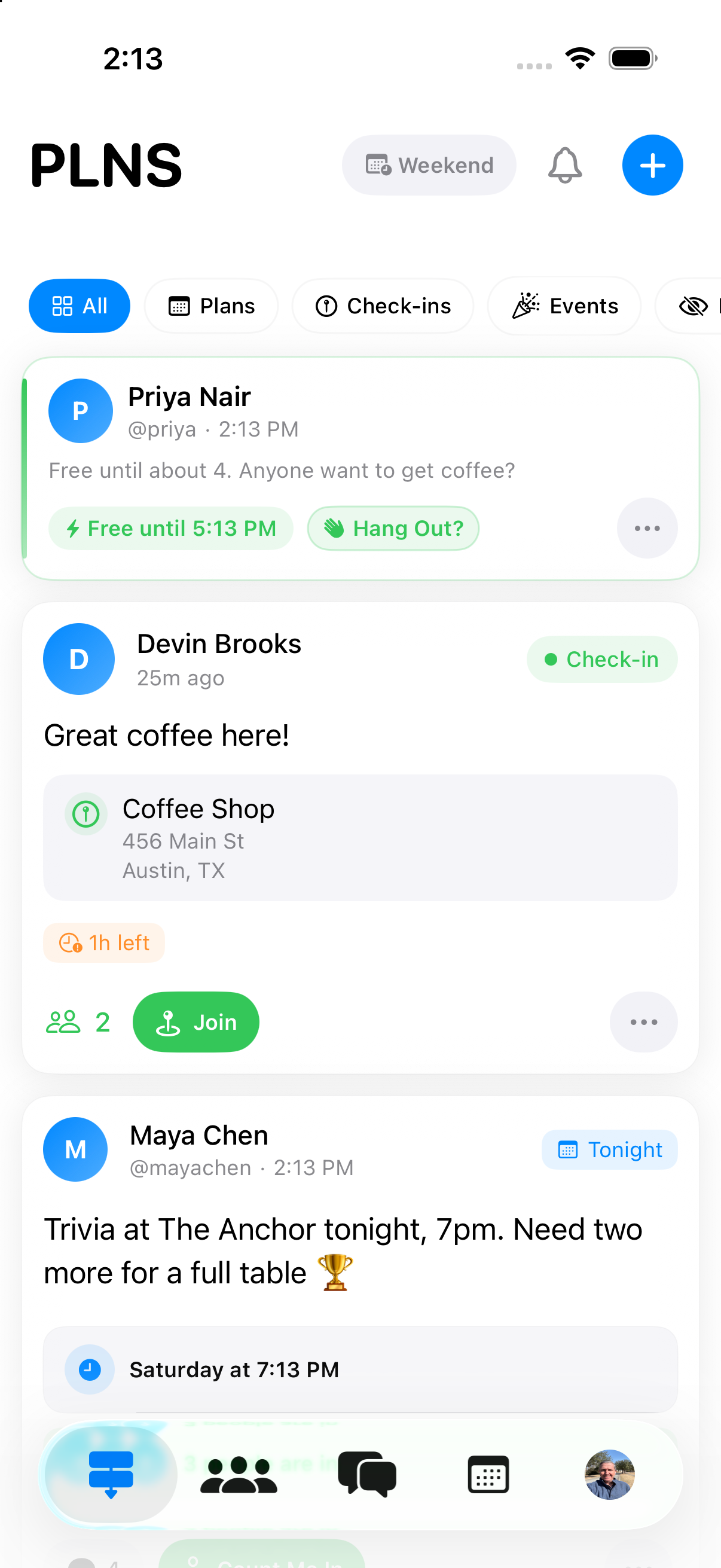
The PLNS feed on iPhone. Filter chips read All, Plans, Check-ins and Events. One card from Preston Grisham says “Finding something fun to do after nap time,” tagged Today, with a host update posted an hour later reading “I am working around the house for now and watching some golf,” and an “Open to join” action. Below the card: “You're all caught up!”

How it works

Three taps, no scheduling.

This is genuinely the whole process. There's no calendar to sync and nothing to configure first.

Say what you're doing

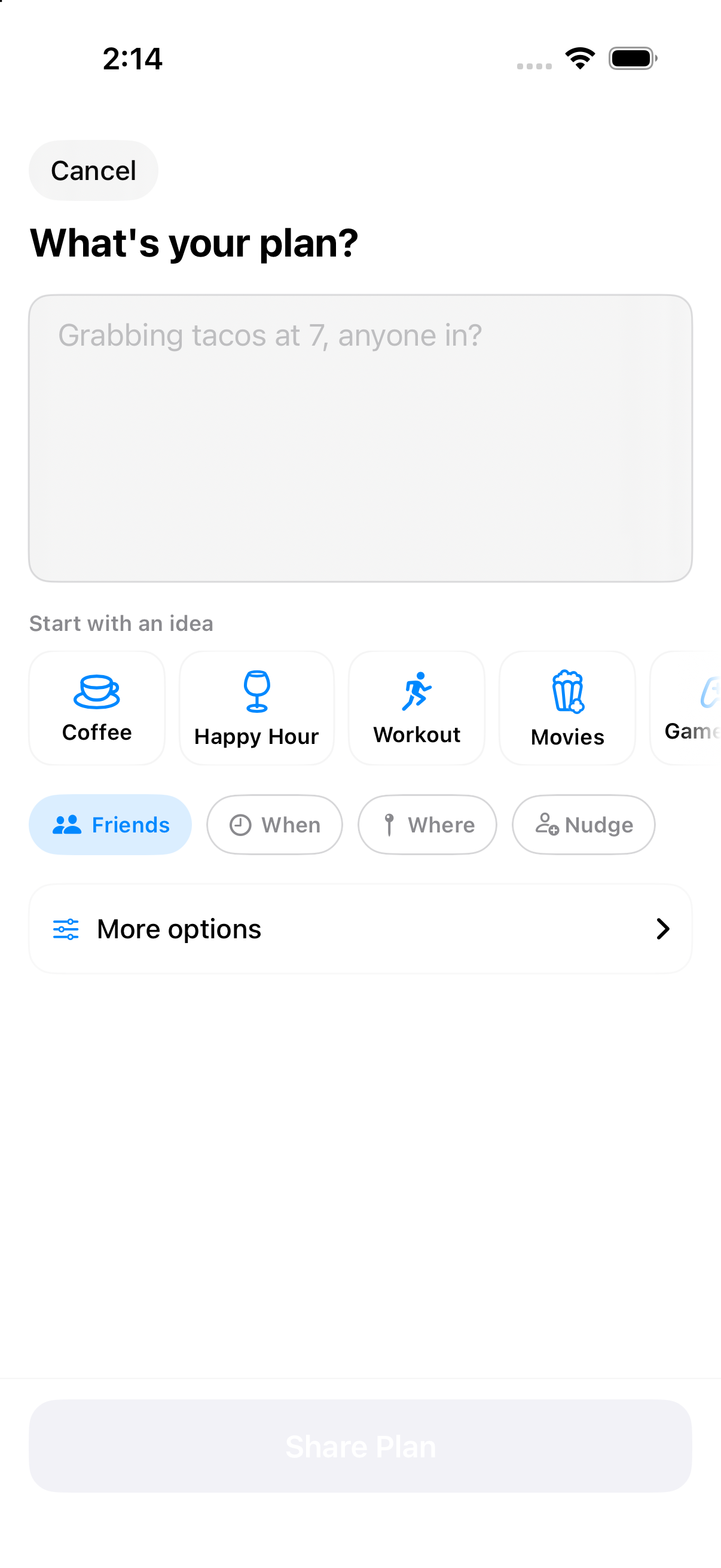
One line is enough — “grabbing tacos at 7, anyone in?” Quick-start ideas like Coffee or Happy Hour fill in the blank for you, and every other detail (time, place, who sees it) is optional.

The PLNS compose screen: “What's your plan?” with a text field, quick-start ideas Coffee, Happy Hour, Workout and Movies, and a Share Plan button.

Friends see it, not strangers

It shows up for the people you're actually friends with — never a public feed. Anyone interested taps Count Me In, and you can see the count update in real time.

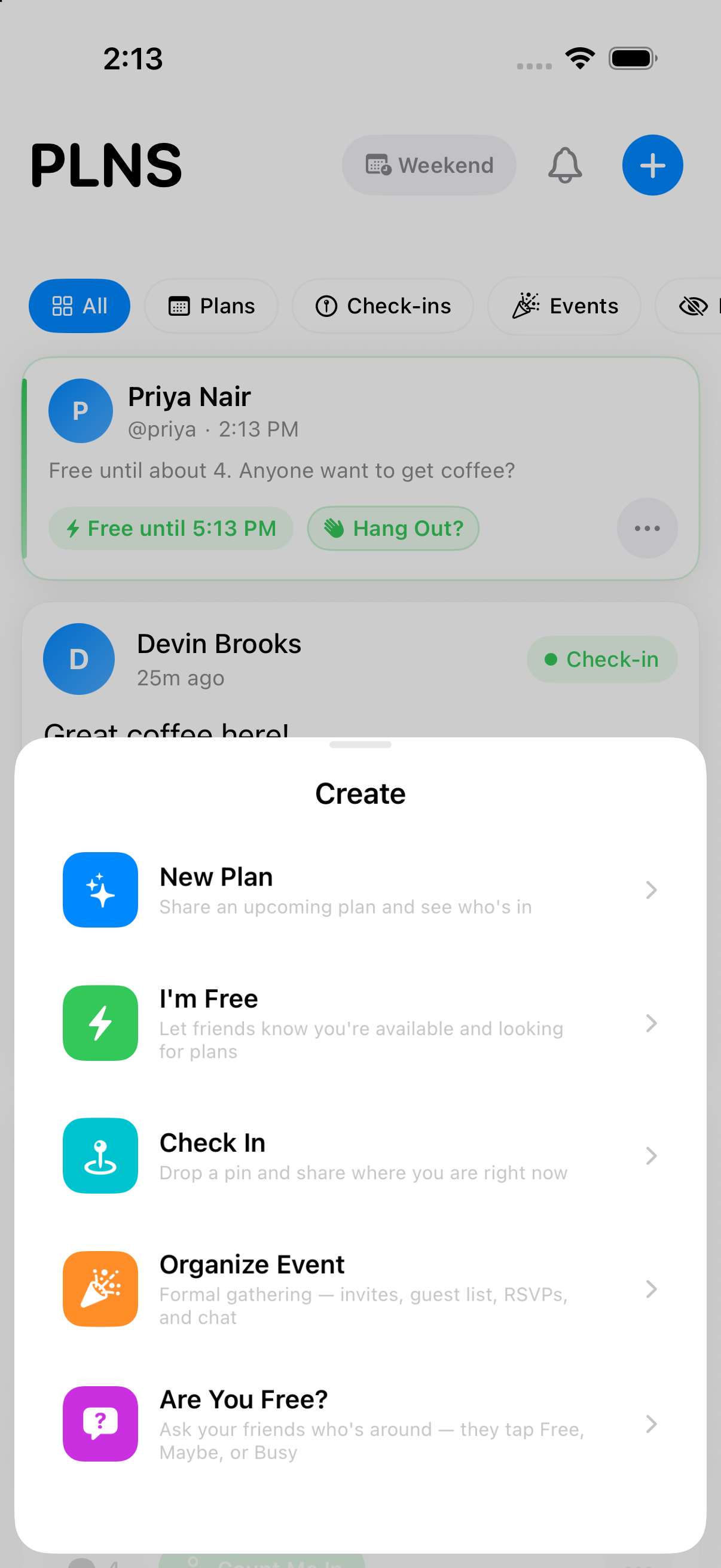
The PLNS Create sheet listing five ways to post: New Plan, I'm Free, Check In, Organize Event, and Are You Free?, each with a one-line description.

You show up. It expires either way.

No headcount to chase, no “so is this still happening?” text. If it comes together, great. If nobody's around, the post quietly expires and nobody has to say anything.

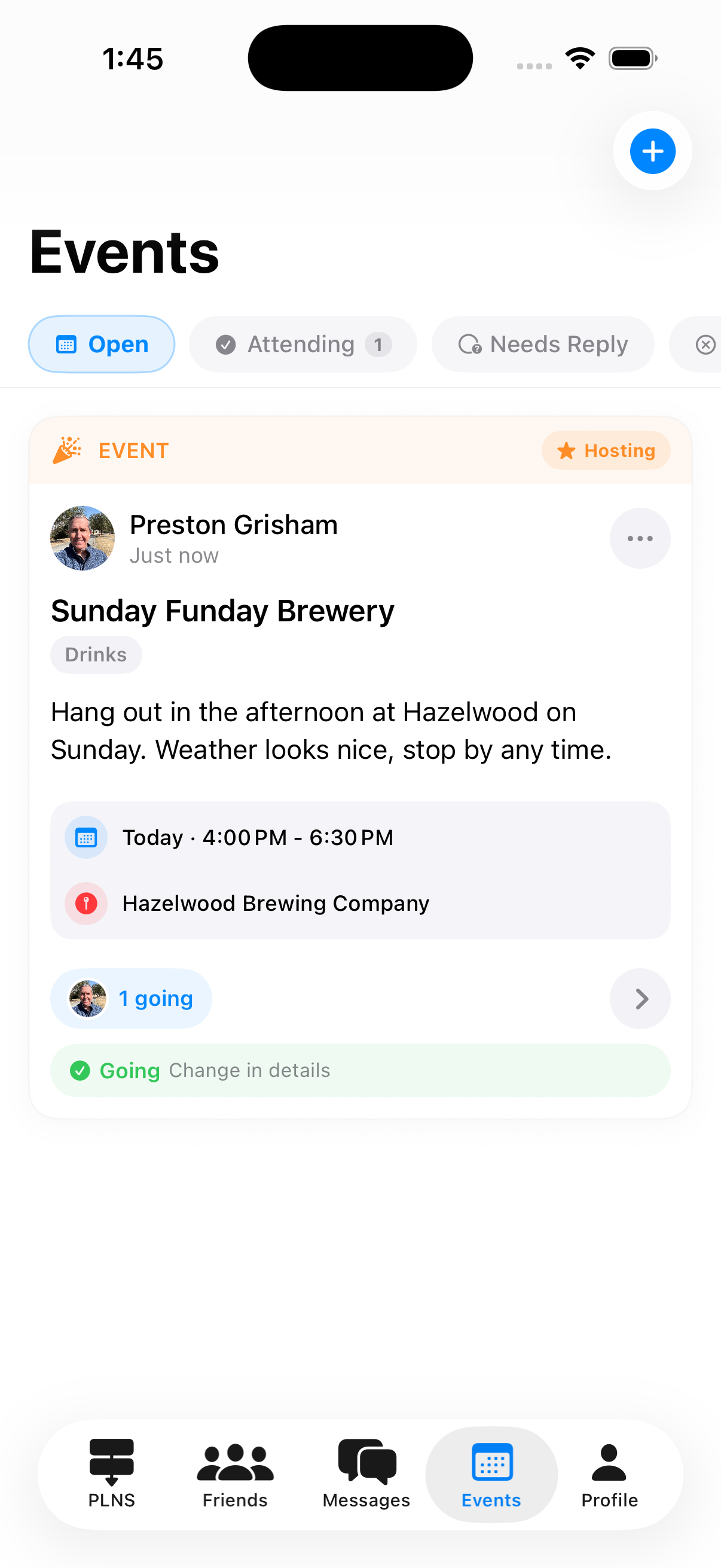
The Events tab on iPhone: “Sunday Funday Brewery,” tagged Drinks, today from 4:00 to 6:30 PM at Hazelwood Brewing Company, showing 1 going and a green Going row.

Why people switch to it

It fixes the actual annoying part.

Not the going out — the fifteen minutes before it, spent negotiating over text.

One post beats twenty texts

Say it once. Everyone who cares sees it, replies with a tap, and it doesn't get buried under unrelated messages an hour later.

Know who's actually free

Post “I'm Free” and see who's around right now, instead of guessing from who left you on read.

Nothing sticks around

Plans and check-ins expire on their own. It's for what's happening this week, not a permanent record of your life.

Just your people

No public feed of strangers, no follower count, no algorithm deciding what you see. Friendships are mutual, same as texting.

What you can post

Four ways to say it, depending on what "it" is.

“Want to get dinner sometime?” and “I'm at the park for the next hour” aren't the same message — they shouldn't take the same effort to send.

Plan

Something you're doing, posted so friends can come along. “Taking the kids to the pool after nap time.” No time needed, no venue needed, no one put on the spot — you're describing your afternoon, not sending a formal invitation.

  • Count Me In → You're In
  • Comments
  • Host updates
  • Invite specific friends
  • Expires by itself

I'm Free

A window of availability with nothing attached to it. “Free until about 4.” For when you'd like to see somebody but have no idea what you'd do — which, honestly, is most of the time.

  • Availability watches
  • Free / maybe / busy polls
  • Shows in the Free Now strip

Check-in

Where you are, right now, for the next few hours. “At Hazelwood, back patio.” It can be left open for friends to join, which is the difference between a status update and an actual meetup.

  • Four-hour window
  • Friends can join
  • Place attached
  • Expires by itself

Event

For the ones worth organizing properly. A date and time, a place, a guest list, and Going / Maybe / Can't Go instead of a headcount you're piecing together from a group chat.

  • Going · Maybe · Can't Go
  • Invitations
  • Group chat
  • Shareable link

After you post

The small stuff that usually kills a plan.

Most plans don't fall apart at the idea — they fall apart an hour later, when nobody's sure who's actually still coming.

Count Me In
One tap. Not a contract — you can take it back, and the host sees the count either way.
Nudge the right people
Send a plan to three specific friends instead of shouting at everyone. They get a notification and can answer from it.
Ping me when they're free
Watch a friend's availability. When they post an I'm Free, you hear about it. Nobody has to keep checking.
Host updates
“Running fifteen behind.” It pins to the plan itself, so it's still there for whoever opens it in twenty minutes.
Plan → event
When a loose plan gets real, promote it. The description, the people and the interest all carry over.
Standing plans
Coffee every Friday posts itself every Friday, and the notification goes out like any other plan.
Group chats
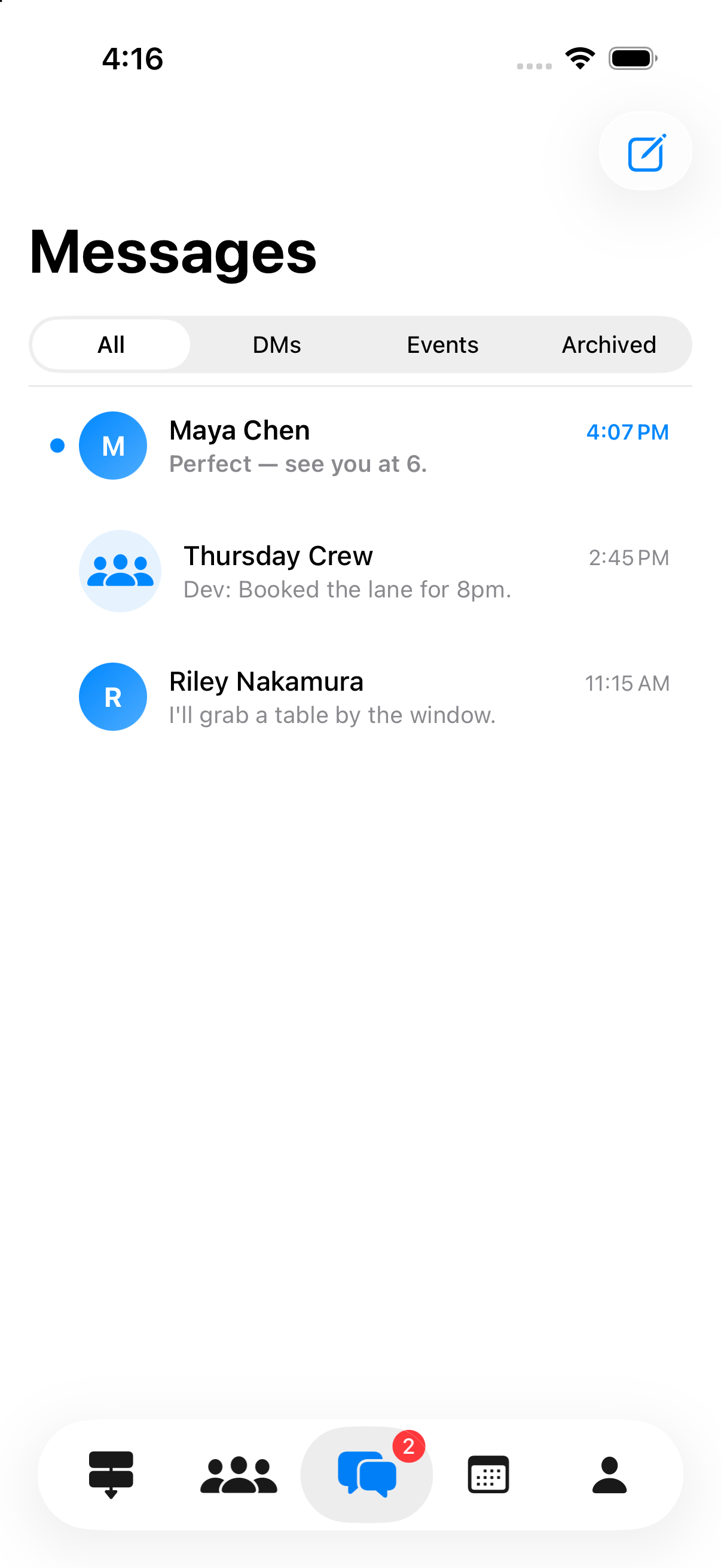
One-on-one messages, plus a chat attached to a plan or an event so the details stay with the thing they're about.
Did this happen?
After a plan expires the app asks the host once, within two days. It's the only way to tell posting from actually going.
Friends, then circles
Friendships are mutual. Circles let you point a post at a subset — the parents, the running group — rather than everyone.

Screens

The actual app.

Real captures, not renderings. Light mode shown; the app follows your system setting.

Getting started

Finding your people takes about ten seconds.

A few ways to add friends — pick whichever's easiest.

  • From your contacts Your address book never leaves your phone — PLNS just checks it privately to see who's already here. Turn it off anytime. Details.
  • By username Search for a handle and send a friend request.
  • Nearby, if you opt in Off by default. Turn it on to see roughly how far away a friend is — only friends who share it back.
  • Invite the ones who aren't here yet Share a link from inside the app. It opens fine even for people who don't have PLNS.

PLNS is better when your people are on it.

It only works if the friends you'd actually make plans with are there too — so once you're in, invite them. It takes one link.

Get PLNS, then invite your people

Straight answers

What PLNS is not.

  • Not permanent Plans and check-ins expire and archive themselves. The feed is for what can still happen, not a record of your year.
  • Not an audience Friendships are mutual and there is no follower count to grow. The people who see your posts are people you agreed to.
  • Not advertising-funded No ads, no third-party ad networks, and your personal information is not sold or rented. The privacy policy lists every company that touches your data and why.
  • Not everywhere iPhone only, running iOS 17 or later. There is no Android app and no web version, and we're not going to pretend otherwise.
  • Not for kids You need to be 13 or older to have an account.

One honest caveat. A post's audience setting — public, friends, a circle, or just you — controls who the app shows it to, and a public plan or event is readable by anyone with the link. Treat it as courtesy rather than a lock: don't put anything in a plan that would hurt if it travelled further than you meant.

Questions

Before you download.

What does it cost?

Nothing. PLNS is free on the App Store.

Do I have to share my location?

No. Location sharing is a setting you turn on, and it stays off until you do. Without it you can still post plans, run events, and use everything else — you just won't see distances, and check-ins will ask for the place instead of finding it for you.

Will you upload my contacts?

No. Contact matching is optional, and the matching happens on scrambled codes generated on your phone. The address book itself never leaves the device. Section 5 of the privacy policy spells out the whole mechanism.

What happens to a plan nobody joins?

It expires quietly and stops showing up. No notification, no record, nobody told that it flopped. Posting something small should be cheap.

Is there an Android or web version?

Not today. Shared plan and event links open in a browser on any device, but the app itself is iPhone only.

How do I delete my account?

In the app: Profile → Settings → Delete Account. It removes your account and the content attached to it. There's no form to fill in and no email to send.

Text one person about it. Or post it once and find out who's around.

PLNS is free on iPhone. No ads, no strangers, no account required to see why.